


Vidlux All Video Downloader HD
3.363.00 Reviews
App Specs
- Version
- 7.0
- Updated On
- License
- Free
- Downloads
- 500,000+
- Developer
- Bit Lords
- Categories
- Video Players & Editors
- Platform
- Android
Screenshots
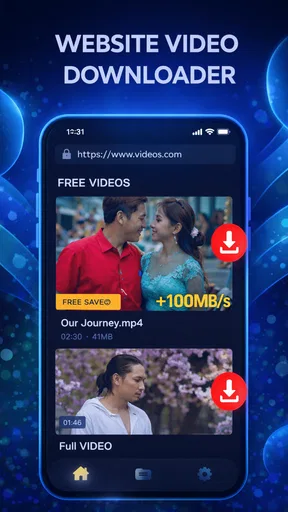
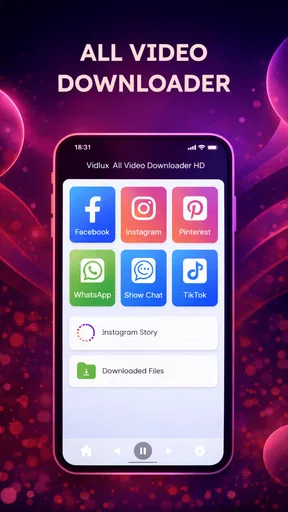
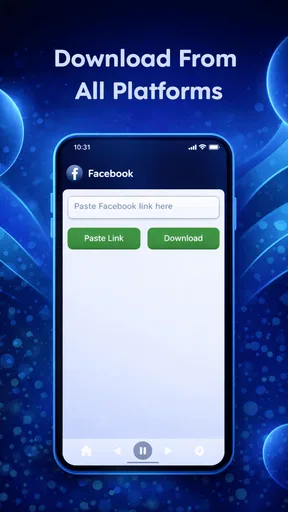
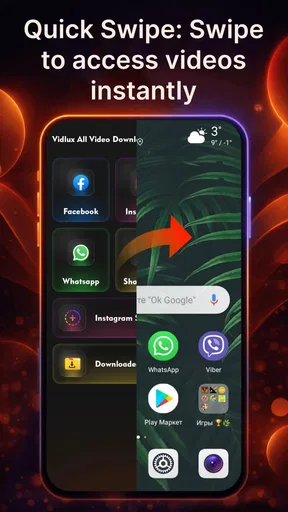
 Analysis by AppCompare
I reach for a video downloader most when I know I’ll want to revisit a clip somewhere with weak reception: a tutorial before a trip, a recipe I’ll use in a shop with poor signal, or a short social post I don’t want to lose in a busy feed. Vidlux All Video Downloader HD is aimed at that habit, bringing video saving into a mobile app rather than leaving every clip dependent on finding it again online. The key practical point is that the experience starts with a connection: you need access to the video and its source before a download can happen.
When the connection is doing the work
In my experience, the best time to use a downloader is while the source is loading reliably, not after a connection has already become patchy. I’d open the social post on a stable network, copy its URL, then switch to Vidlux and paste it. That small routine is less frustrating than repeatedly refreshing a slow feed while trying to save something in a hurry.
Vidlux is a free video player and editor app from Bit Lords, and its focus here is downloading videos, reels and status content. It has an average rating of 3.8 from around 600 ratings, with over 500,000 installs. Those figures suggest a useful, established audience, but they don’t guarantee that every source will behave the same way. A video can take longer to process depending on the platform and the connection between the app, the source and your device.
That distinction matters if you expect one tap to work everywhere. A link may be private, unavailable, removed, or presented in a way the downloader cannot handle. If a clip fails, I’d first check that it still plays in its original app or page, then copy the address again and retry on a steadier connection. Repeating the same attempt without checking the source usually wastes time.
A practical fit for everyday mobile use
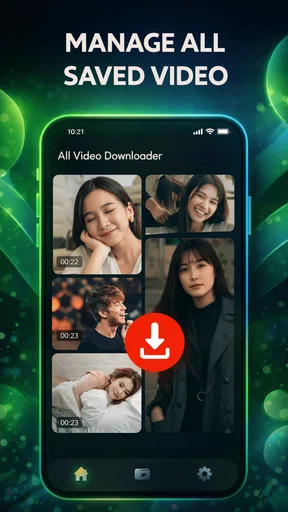
The app’s most appealing use case is a small, intentional collection of clips you already know you’ll need: a repair demonstration, a workout move, a language lesson, or a friend’s shared status. For example, before taking a train through an area with unreliable reception, I might save a short how-to video at home over Wi-Fi and check that it appears in the app’s saved area before leaving. That final check is worth doing; a download that still appears to be in progress is not much help once the network drops.
Resolution choice gives you a useful trade-off. HD is attractive when details matter, such as text in a tutorial, but a larger file can take longer to transfer and use more device storage. For a casual clip viewed on a small screen, a lower resolution may be the sensible pick. I’d choose based on how I plan to watch it, rather than automatically selecting the highest option every time.
The batch option also suits planned saving better than frantic collecting. Queue a handful of clips while you have a reliable connection, then let them finish instead of opening each one and starting over. I’d keep the queue focused: if the network slows or the source responds inconsistently, a long list can make it harder to spot which item needs attention. A short, checked queue is easier to manage and less likely to leave you guessing about what actually completed.
Worth Reading Before You Choose

Flipboard Shows What News Apps Must Do Beyond the Feed

Switching to Android Auto Means Rethinking Your Driving Routine

Google Calendar Makes a Crowded Week Easier to Manage

Ludo King Makes the Most of the Minutes Between Plans

Baby Panda World Brings Quick Play to Modern Phones, but Its Game Library Feels Busy

ESPN’s Live Game View Makes Following Close Games Easier
What to do when a download stalls
Vidlux performed smoothly in my use, though some videos took longer than others. That is a reminder that download speed is not controlled by the app alone. The source may be slow, the connection may fluctuate, or the particular clip may not be available in the form the app expects. If a download stalls, I’d pause before starting it repeatedly: confirm the source opens, check the network, and try again once rather than stacking duplicate attempts.
For mobile data, I’d treat resolution and queue size as choices to make before pressing download. A few short clips at a modest quality setting are easier to fit into a limited data allowance than a pile of high-resolution files. When Wi-Fi is available, that is the calmer time to prepare videos for later viewing. Vidlux gives control over quality, but it is still up to you to balance image detail against transfer time, data use and storage.
There is a useful difference between this app and simply saving a post inside a social platform. A platform’s own save or bookmark feature is better when you only need to find a post again and expect to stay online; it avoids making another copy on your device. A downloader is more appealing when you want a local file for convenient access, but it also asks you to manage that file and consider whether saving or sharing it is appropriate. I’d use Vidlux for material I have permission to keep, not as a way around a creator’s choices or a platform’s rules.
Who should choose it—and who might not
I’d recommend Vidlux to someone who regularly saves public or personally shared clips and is comfortable copying and pasting links. The interface felt straightforward, and the choice of resolution plus batch downloading makes it more useful than a bare link-saving shortcut. It is less suited to someone who wants a fully automatic workflow, expects every platform link to work, or prefers never to manage downloaded files. The lack of an integrated browser also means discovery and saving are separate steps, so people who want everything in one screen may prefer a different tool.
Ads are another everyday trade-off. They did not feel overwhelmingly intrusive in my experience, but they are part of using a free app and can interrupt the clean flow some people want. If you only save a clip now and then, that may be easy to tolerate. If you download often and dislike advertising, a different option with a quieter interface may suit you better.
First Impressions
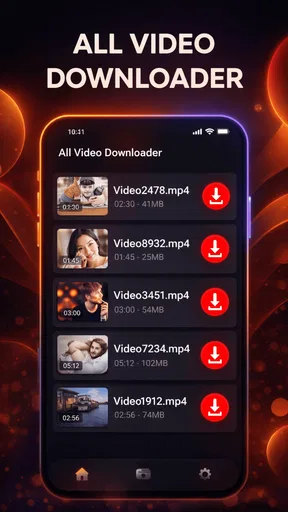
The first thing I noticed when I launched Vidlux All Video Downloader HD was its super clean and user-friendly interface. You know how some apps look like they were designed in the early 2000s? Not this one. It’s modern, sleek, and pretty intuitive. Even if you’re not a tech wizard, you’ll find your way around in no time.
The app promises to download videos from a variety of platforms, and it definitely delivers. I tried it with some of the usual suspects like YouTube and Instagram, and it worked like a charm. It’s like having your own personal video library at your fingertips.
Features That Stand Out
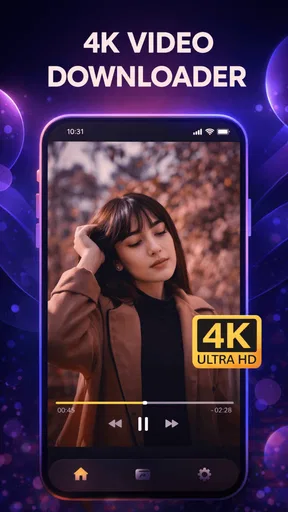
One of the standout features is the ability to download videos in HD. I mean, who wants to watch grainy videos, right? The app lets you choose the resolution, which is a nice touch. Whether you’re on Wi-Fi or using mobile data, you can adjust accordingly.
Another cool feature is the batch downloading option. I’m not always patient, so being able to queue up multiple videos and then just let the app do its thing is a huge plus. It’s perfect for those long road trips or flights where you want to stock up on entertainment.
How It Performs
Performance-wise, Vidlux All Video Downloader HD doesn’t disappoint. Downloads are pretty fast, and I didn’t experience any major hiccups or crashes. The app runs smoothly, and switching between different sections is a breeze.
I did notice that some videos took a little longer to download depending on the platform, but that’s to be expected with varying server speeds. Overall, it’s reliable and gets the job done.
What Could Be Better
Of course, no app is perfect. One thing I’d love to see is an integrated browser within the app. It would make searching for videos a bit more seamless. Right now, you have to copy and paste URLs, which can be a tad cumbersome at times.
Also, while the app is free, it does come with ads. They’re not overly intrusive, but an ad-free option would be a welcome addition for those who want a cleaner experience.
Final Thoughts
All in all, Vidlux All Video Downloader HD is a solid choice for anyone looking to download and keep videos on their devices. It’s packed with features, performs well, and has a user-friendly design that makes it a breeze to use.
Whether you’re saving tutorials, music videos, or your favorite clips from social media, this app has you covered. It’s not perfect, but it’s definitely a handy tool to have in your app arsenal.
If you’re curious and want to give it a try, you can find the download links for both Android and iOS on our website. Happy downloading!
Compatibility and a sensible routine
Before installing, I’d check the device requirement: Vidlux lists Android 8.0 as its minimum operating system. It is marked for Everyone, and the current version is 5.0. That makes the basic audience broad, though the Android requirement still matters if you are setting up an older phone. The app is free, so the main day-to-day costs to think about are your data, storage and patience with ads.
A simple workflow helps avoid clutter. I’d save only clips I have a reason to revisit, use descriptive context when deciding which ones to keep, and periodically remove files that have served their purpose. This is especially useful for status posts and short reels, which can be easy to collect impulsively and then forget. Treating downloads as a temporary toolkit rather than an endless archive keeps the app more useful.
Connectivity verdict
Vidlux is most convincing when I can prepare in advance: find a clip on a dependable connection, paste its link, pick an appropriate resolution, and confirm the transfer has finished. It is less convenient when I am searching on a weak signal, trying to save a link that has stopped working, or expecting an automatic, one-screen experience. Used selectively, it can make chosen videos easier to keep at hand; if bookmarks are enough for your needs, or downloading would use data and storage you want to conserve, the original platform’s save option is the simpler choice.
Pros
- Supports multiple video formats for downloads.
- Fast download speeds enhance user experience.
- Simple
- intuitive user interface.
- Allows batch downloading of videos.
- Incorporates a built-in video player.
Cons
- Contains in-app advertisements.
- Limited functionality in free version.
- Requires stable internet for downloads.
- Not available on all devices.
- May not support some video platforms.
FAQs for Vidlux All Video Downloader HD
What is Vidlux All Video Downloader HD?
Vidlux All Video Downloader HD is an app designed to download videos from various online platforms directly to your device. It supports multiple formats and resolutions, making it easy to save and enjoy content offline. The app aims to offer a user-friendly interface with efficient downloading capabilities.
Is Vidlux All Video Downloader HD free to use?
Yes, Vidlux All Video Downloader HD offers a free version with basic features. However, some advanced functionalities may require a premium subscription or in-app purchases. Users can choose to upgrade for an ad-free experience and additional features such as faster download speeds and more supported platforms.
Which platforms are supported by Vidlux All Video Downloader HD?
Vidlux All Video Downloader HD supports a wide range of popular video platforms and social media sites, including YouTube, Facebook, Instagram, and many others. However, due to platform restrictions and terms of service, some websites may not allow video downloading, so it's important to use the app within legal boundaries.
How do I download videos using Vidlux All Video Downloader HD?
To download videos, simply copy the URL from the supported platform, paste it into Vidlux All Video Downloader HD, and select the desired format and resolution. The app will then process the link and allow you to save the video directly to your device for offline viewing.
Is Vidlux All Video Downloader HD safe to use?
Vidlux All Video Downloader HD is generally considered safe, but it is important to download the app from reputable sources like the official website or authorized app stores. Always ensure your device is protected with updated security software to avoid potential risks associated with third-party downloads.


